

One tool, every part labeled
From the original patent drawings. Two rulers, a built-in level, sliding end stops and channels top and bottom, all on one rigid body that mounts to a monopod.
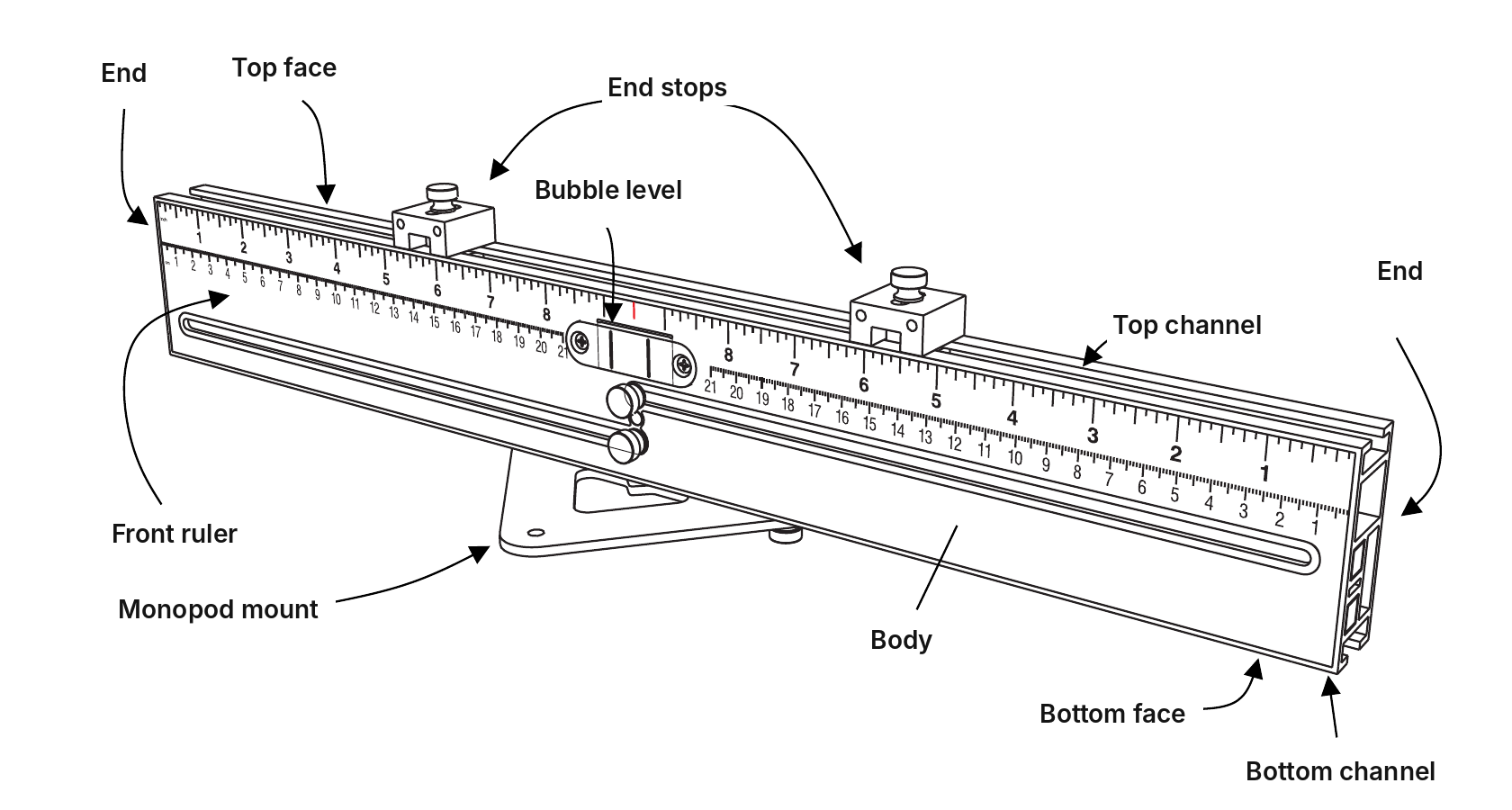
Set any sign: beside, centered or shaped
Room ID signs on a hospital floor or a campus all go in the same spot relative to the door. Pick the method that matches your sign schedule. For shaped signs, add a jig to either method. You set the tool once and every sign matches the last one.
Beside the door
Uses the front ruler
- Mount and set height. Attach the tool to the monopod with the bracket and lock it at your sign height.
- Set the offset. Use the front ruler to set an end stop on each side to your offset from the casing, for example 2¾ in. One setup covers left-hand and right-hand doors.
- Butt and level. Butt the tool against the door casing and read the bubble level.
- Place the sign. Butt the sign against the end stop and press it to the wall. Move to the next door.
Centered on the door
Uses the rear ruler and geared rails
- Mount and set height. Attach the tool to the monopod and set it to the sign’s baseline height.
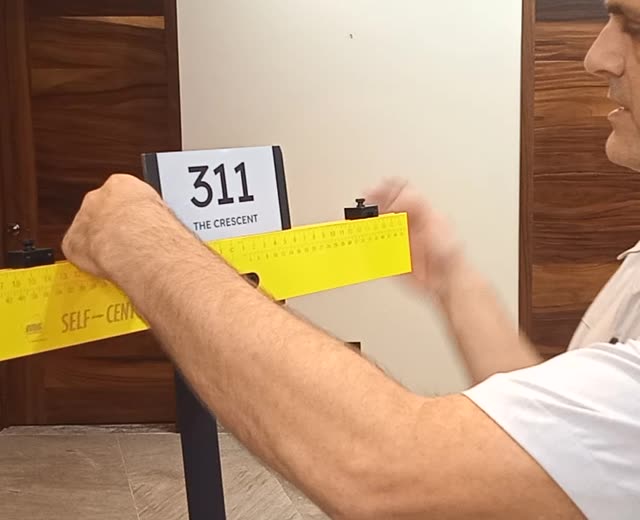
- Set the sign width. Rest the sign on the tool and slide it until both rear-ruler readings match, then bring the end stops to its edges with a little extra room for fit. No tape measure needed.
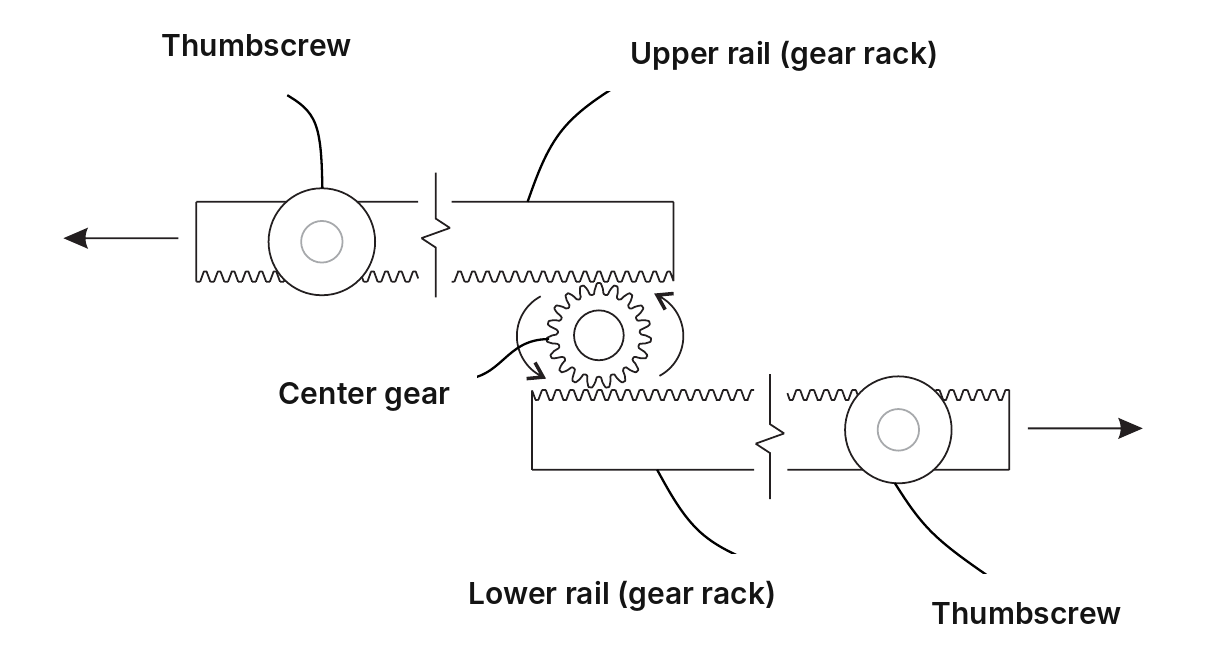
- Center on the door. Loosen the thumb screws and extend the geared rails until they touch both sides of the frame, then tighten.
- Place the sign. Check the level, rest the sign between the end stops and press it to the door. Move to the next door.
Shaped signs
Add-on for A or B- Add a jig. Screw a custom jig, cut to the sign’s shape, to the end stops. The stops slide front to back to keep the jig flush with the front of the tool.
- Set and install. Follow method A or B. Seat each sign in the jig and press it to the wall.
The settings stay put from door to door. Only reset when the sign schedule changes.
Custom jigs for shaped signs
Add a jig to method A or B above. Screw a custom jig to the end stops and the tool holds every shaped sign in the same spot.
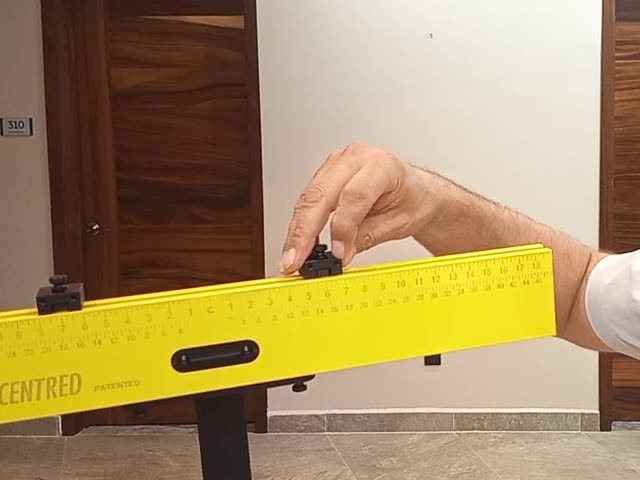
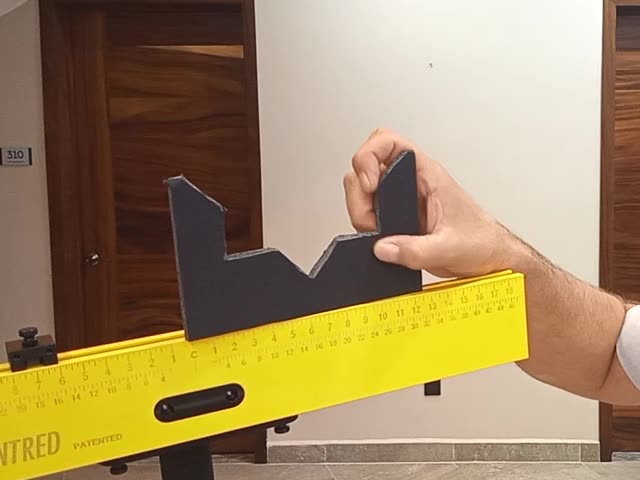
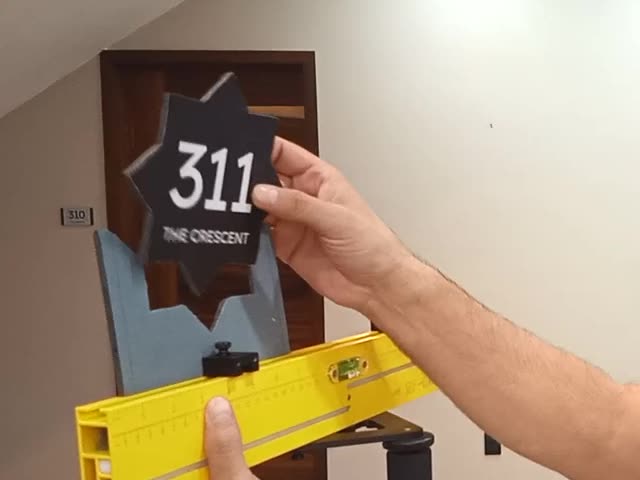
Using a custom jig
- Make the jig. Cut a template to the sign’s shape on your CNC router or laser, in the material of your choice. Keep it the same thickness as the sign or thinner, never thicker.
- Attach it. Countersink the back of the jig and screw it to the end stops with #6-32 machine screws. Slide the end stops front to back so the jig sits flush with the front of the tool.
- Set your position. Lock the end stops at your offset from the door casing, or extend the geared rails to center on the door.
- Install. Seat each sign in the jig and press it to the wall. Every sign lands at the same height, offset and angle.
“I prefer acrylic for jigs and templates. Make the jig as thick as the sign itself or thinner, but never thicker than the sign.”Chris Marshall, co-inventor, signage project manager and estimator
When to use one
- Shaped and angled signs. Stars, hexagons, diamonds and other shapes whose edges can’t rest on a flat stop.
- Mounting holes. A jig with drill holes marks the hole pattern for mechanically fastened signs, door after door.
- Repeat packages. Build the jig once and reuse it across every floor of a project.
Every part, every move
An animated walkthrough of the tool: the end stops, jigs, template holders and monopod mount, then shifting between sign elevations without readjusting.
The rails find the center for you
For signs centered on a door, open the thumb screws and extend the geared rails until they touch both sides of the frame. The rails move together, so the tool lands dead center every time.
- Self-centering geared rails. Extending one rail extends the other by the same amount.
- Extends to 37 in. Centers on doors up to 36 in wide, which covers standard and wide accessible doors.
- Centering ruler on the back. You don't need the sign's width. Slide it until both readings match.
- Front ruler, read from either end. Sets your offset from the door casing.
- Built-in bubble level and monopod. The same height and level at every location.
“Self-Centered was a game-changer for us … we’re talking days, not hours.”Johan Rylander, Managing Partner, ModulexSeveral hundred interior signs across five buildings
Fewer hours on every sign package
On a big interior package, measuring and leveling is repeated at every door. Take that out and the savings show up on the bid, the schedule and the margin.
Fewer labor hours
No tape measure, no pencil marks, no re-leveling between doors. Crews set the tool once and move straight down the corridor.
Less skill required
Newer installers place signs as accurately as seasoned pros, and nobody has to check and double-check their work.
Sharper bids
Fewer install hours per sign lets estimators price more competitively on large packages and still protect the margin.
“In the hands of a seasoned pro, this tool will save hours on large-scale projects. Less skilled workers will develop confidence and be installing like their peers in no time.”Chris Marshall, co-inventor, signage project manager and estimator
Proven on real projects

Selected most innovative in the category
Hand Tools: Measures, Tapes & Rules
“A truly innovative tool that will only improve with further iterations.”PTIA judges

Featured online in May 2026 and in the June 2026 print edition. Read the article
Co-invented by Chris Marshall and Adam Groshong.
Ready for your next sign package?
Choose your kit, with or without the monopod. In stock at MBS Standoffs and shipping from four U.S. warehouses.